ABR Nolan Bank Feeds - Manual Process
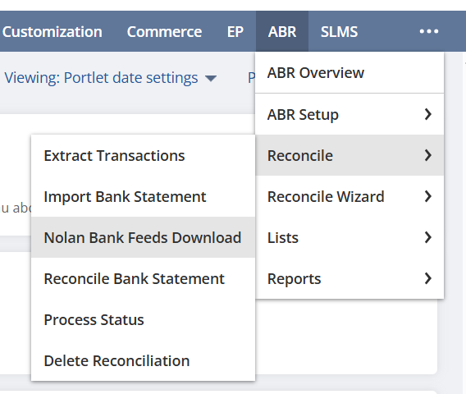
The ABR Bank Feeds Processes (Auto Match, Auto Gen, Download, Extract, Auto-Import) can all be manually started for each reconcile account, Via the Nolan Bank Feeds Download, reconcile and reconcile wizard screens.
On the ABR Bank Feeds Screen, there is a sub-list containing every setup reconciliation account. You can select, unselect, and change the dates for specific reconciliation accounts. At the top of the page is a multi-select field called “task to perform” Every task selected from this field will be performed on the selected accounts. The date fields located next to it will set the same start and/or end dates for every account.
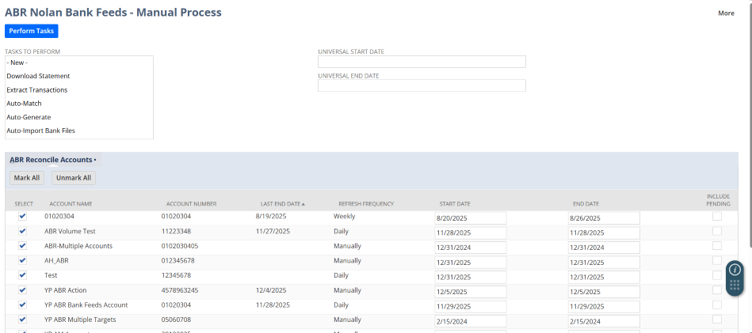
When the “perform tasks” button is pressed, you will be transferred to a process status screen, and a process instance is created. Each selected process will run for each selected account, with the start and end dates set for those accounts.
