Background Processing status
The NC – Process Instance allows you to see every process running in ABR, as well as details such as date created, last modified date and status. This page is useful for tracking processes that may have been taking a long time and investigating processes that failed or completed with 0 entries.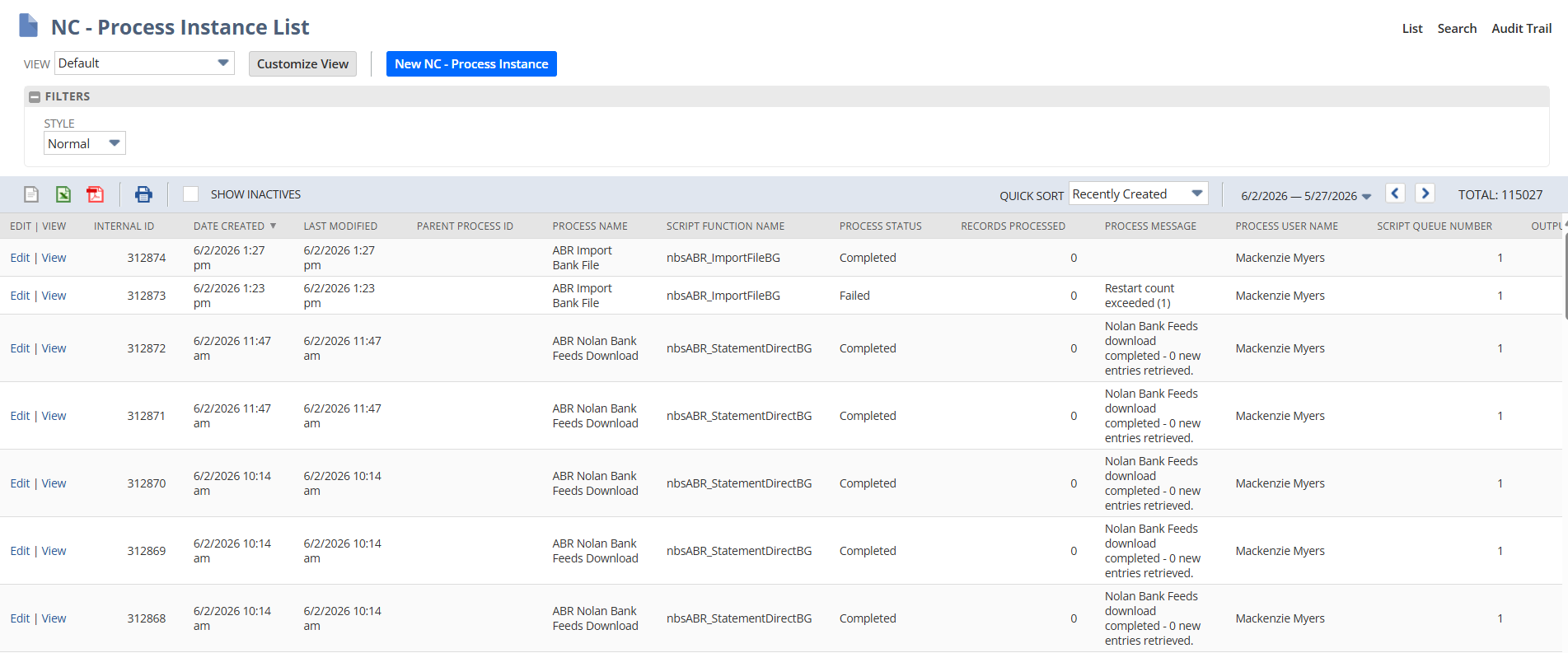
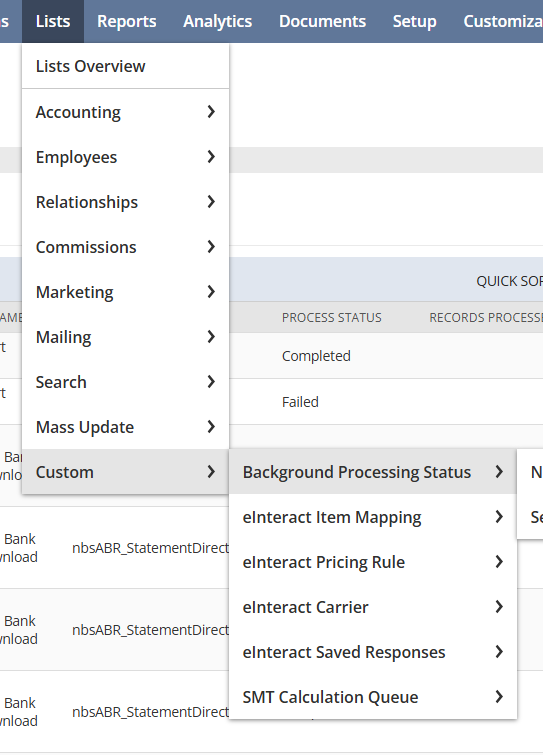
To access this page, simply search for NC - Process Instances or navigate to Lists > Custom > Background processing status.
Unless told otherwise, do not manually edit and change the fields of ABR background processes records, as this could cause issues with Nolans ABR.
