Advanced Bank Reconciliation Wizard
The Advanced Bank Reconciliation Wizard allows for Extracts, Auto-match, and Auto-generation to be queued up for multiple accounts at once and allows reconciliation to be queued up for one or multiple accounts.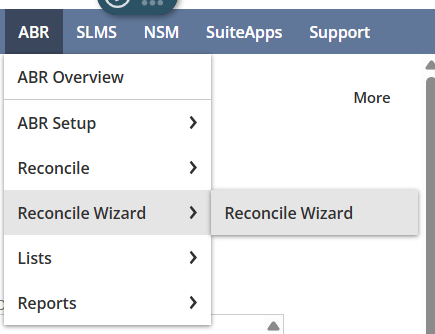
Extract, Auto-match and Auto-gen each have a tick box located underneath their respective headings. Located to the right of the screen is a multi-select field for accounts and from/until date fields for both auto-match and extract. To perform any of these tasks, tick the relevant boxes for the tasks you would want to start, select all accounts the processes should run on, select extract/auto-match dates if relevant and then press “Perform tasks / Redisplay”.
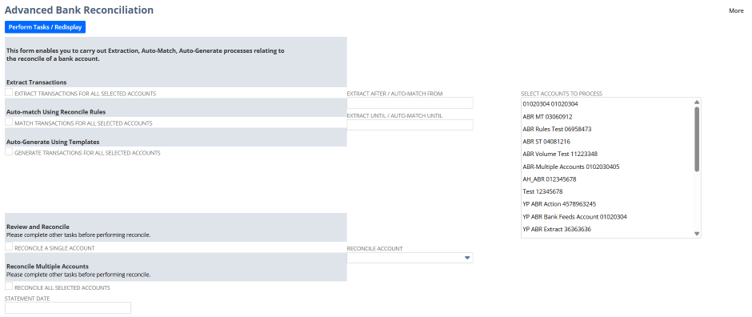
On this screen, it is also possible to Reconcile and Multi-Reconcile. Under “Review and Reconcile”, selecting the tick box “reconcile a single account”, then selecting the account in the drop-down box directly to the right of “Reconcile account” will take you to the relevant reconcile account screen, where you can review and reconcile the selected account.
To Multi-Reconcile, make sure “reconcile all selected accounts” is selected and the statement date is filled in. Then, in the far right multi-select field called “select accounts to process”, select all accounts you want to reconcile before submiting the page, and you will be redirected to a process status screen. A reconciliation process is queued up for each of the chosen accounts. If any account has any problems during reconciliation, then the custom process status screen should show them, and if any accounts can't be reconciled for any reason, then the process won’t start, and an error outlining the problematic account/accounts is shown in red.
